
Quotes
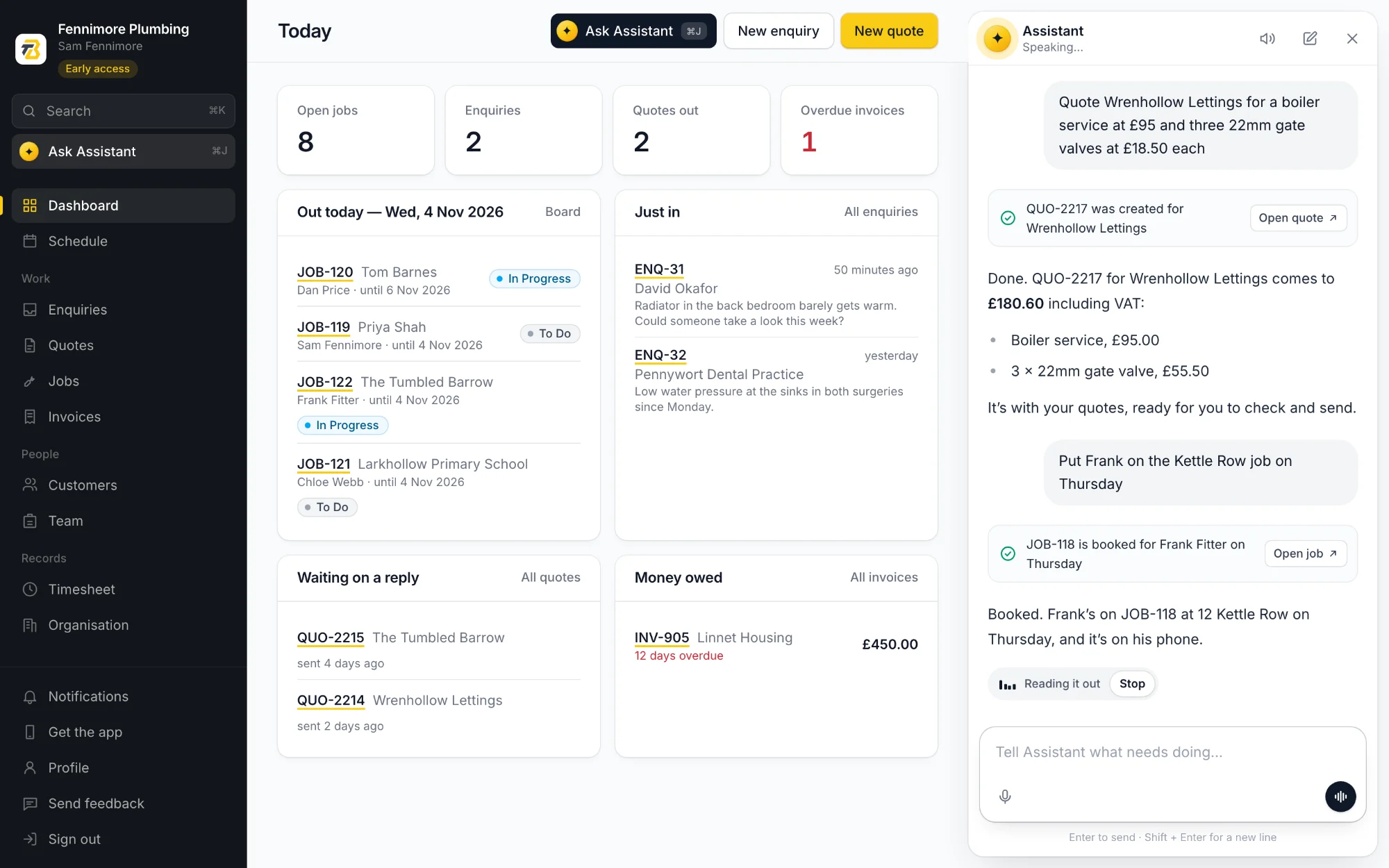
Quote Wrenhollow Lettings for a boiler service, ninety-five quid.
Add a magnetic filter to the Shah quote, one twenty.
Mark the Tumbled Barrow quote as accepted.
The assistant
Tell Toolbelt AI what you need the way you'd tell whoever does your books. It writes the quote, books the job, logs the hours and looks things up, then reads the answer back so you don't have to put the tools down.
What you can say
It knows your customers, jobs, quotes and invoices, so "the Wrenhollow job" means the Wrenhollow job. Say it in your own words; these are only examples.
Quote Wrenhollow Lettings for a boiler service, ninety-five quid.
Add a magnetic filter to the Shah quote, one twenty.
Mark the Tumbled Barrow quote as accepted.
They've said yes. Turn the Shah quote into a job for Monday.
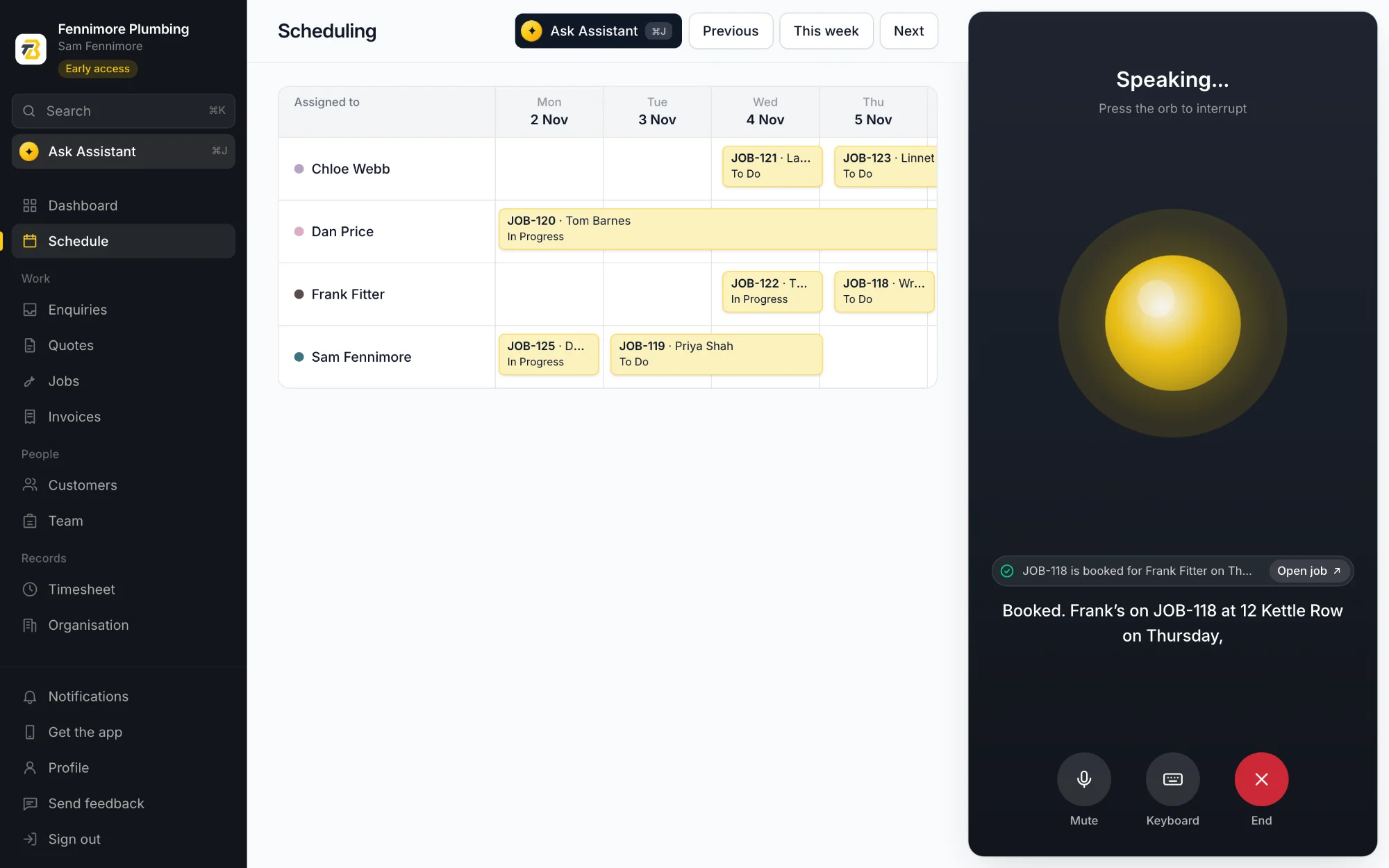
Put Frank on the Kettle Row job, Thursday.
What have we got on this week?
Log two hours on the Wrenhollow job.
Log an hour and a half on the Okafor job for tracing the leak.
How many hours have gone into the Barnes bathroom?
Invoice Wrenhollow for the boiler service.
Mark INV-906 as paid.
What did we charge Linnet last month?
Add a customer, Priya Shah, 07700 900123.
Add another address for Wrenhollow, 14 Kettle Row.
What's the number for Linnet Housing?
New enquiry from David Okafor, radiator not warming up in the back bedroom.
Add a task to the Barnes job: second fix and test.
Invite Chloe Webb to the team.
Hands-free
Start a conversation and leave it running. It listens, answers out loud and listens again, so you can keep your hands in the job and your eyes on it.
What have we got on tomorrow?
Move Frank's to Friday.
It shows its work
Every quote it drafts and every job it books comes with a link straight to it. Have a look, change what you want, and send it when you're happy.
Straight answers
It's good at the paperwork, and it isn't magic. Better you hear the limits from us than find them on a job.
Your data
The assistant is powered by AI services run by other companies. You're asked before you first use it, nothing is sent until you send a message, and the rest of Toolbelt AI works without it.
Receives your message and the records needed to answer it: a customer's name and a quote's lines, for instance, if you ask about that quote. Their business service doesn't use it to train their models. It also turns the assistant's reply into speech when spoken replies are on or you're talking to it hands-free.
In the app, your phone's own speech recognition turns what you say into text: Apple's on iPhone, Google's on Android.
On the web, your browser's speech recognition does it, and most send the recording to their maker to do it: Google for Chrome, Microsoft for Edge, Apple for Safari. It listens only while the microphone is on.
We get the text, never the audio. We don't record or keep recordings of you at any point.
The privacy policy has the detail.
Questions
Yes. The assistant needs a connection to understand you. The rest of the phone app works without one and catches up later, so in a basement you can do it by hand, or ask the assistant once you are back at the van.
No. It writes and changes the paperwork in your account and nothing else. Sending a quote or an invoice is something you do yourself, from the phone app.
It can, like any assistant. Check what it has done before anything goes to a customer, especially figures. Everything it changes comes with a link to the record, so it is quick to put right.
Talking to it on the web needs a browser with speech recognition, such as Chrome, Edge or Safari. In any browser you can type to it instead.
Yes, in the phone app. It works with their permissions, not yours, so it can only do what they could do themselves. On the web it is yours alone, as the web version is.
Set it up in the time it takes to have a brew, then say the job out loud.
Get early accessFree during early access, no card needed